

Small utilities.
Speed up your flow.
An always-on-screen macOS instant file browser and web widget on the notch and edges of your screen.
Designed to keep you in your flow state.
Minz resides at the border of your macOS workspace, ready to boost your productivity.
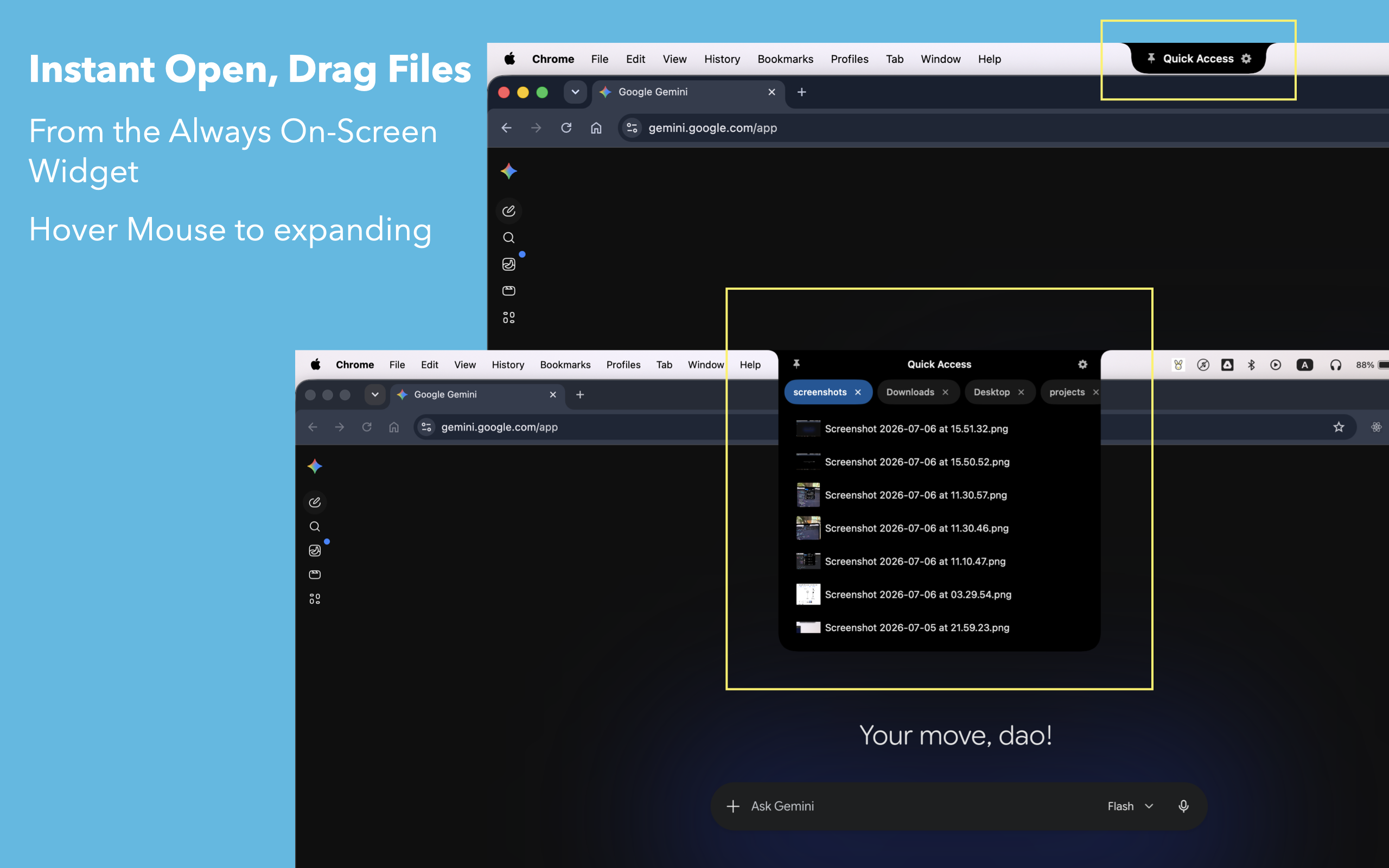
Instant File Browser
Access, shelf, and browse your recent or favorite files from any screen or space. Drag files directly onto the notch to park them momentarily.
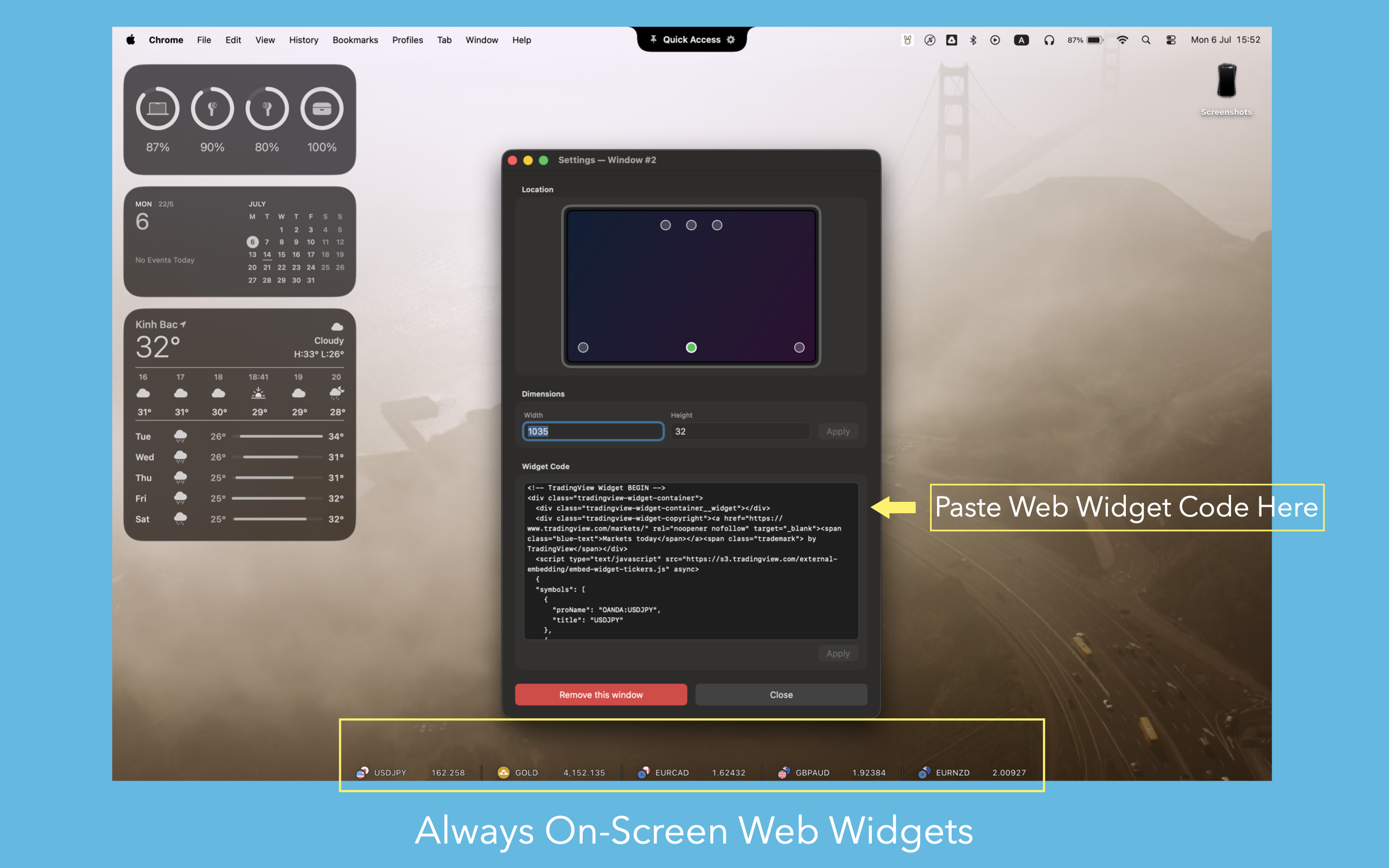
Custom Web Widgets
Load responsive web tools, search portals, dashboards, or quick notes right inside screen margins. Available at a glance with mouse hovering.
Local & Privacy-First
Your data never leaves your device. Minz functions offline by design, ensuring zero-risk file manipulation and absolute security.
Frequently Asked Questions
Does Minz collect my files or search data?
Absolutely not. Minz is developed around a local-first architecture. All files, shortcuts, and widget data remain exclusively stored in your local Mac disk. We do not have servers, tracking scripts, or usage metrics.
Which macOS versions are supported by Minz?
Minz is optimized for macOS 14 (Sonoma) and macOS 15 (Sequoia). It supports Apple Silicon chips (M1, M2, M3, M4) natively, as well as Intel Core-based Macs.
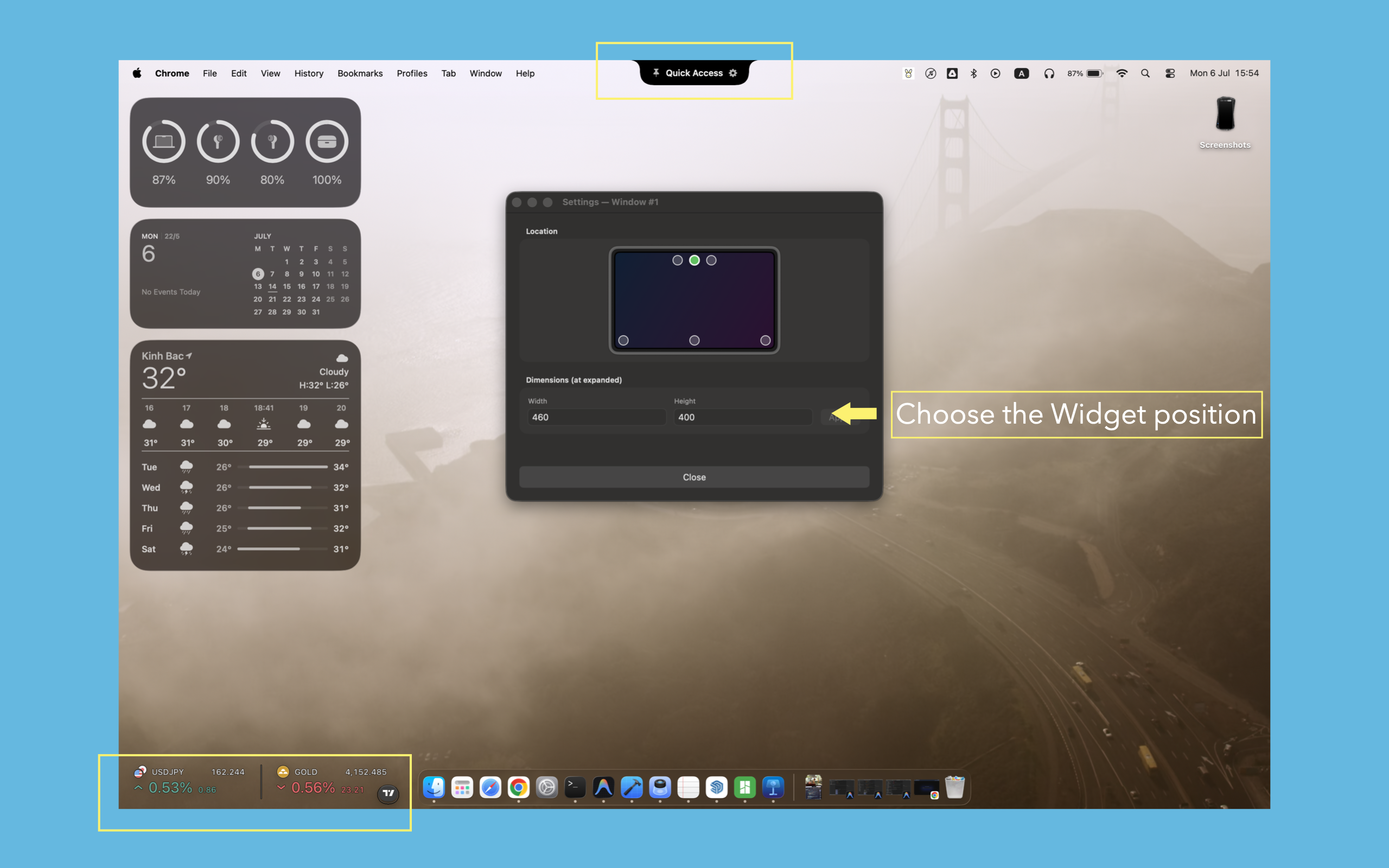
How do I customize the widget placement?
Through the Minz preference dashboard, you can pin active zones to any edge of your monitor—the top camera notch area, the bottom dock edge, or the left/right screen borders.